A Busy Week: Gear, Mobile Picking, and a Few Things That Were Driving Me Nuts
It's been a full week over here. Nothing earth-shattering, but a mix of stuff people have been asking for and a handful of fixes that were quietly annoying in daily use. Here's what shipped.
Gear is finally a first-class citizen
This was the big one. If you sell gear — keychains, flashlights, art prints, and that whole category of BrickLink items that aren't parts, sets, or minifigs — you can now manage it properly in Brick Order Picker.
That means:
- Inventory — add gear lots, filter by type, push to BrickLink and BrickOwl
- Catalog — browse gear detail pages with the same sync-and-cache pattern as parts and sets
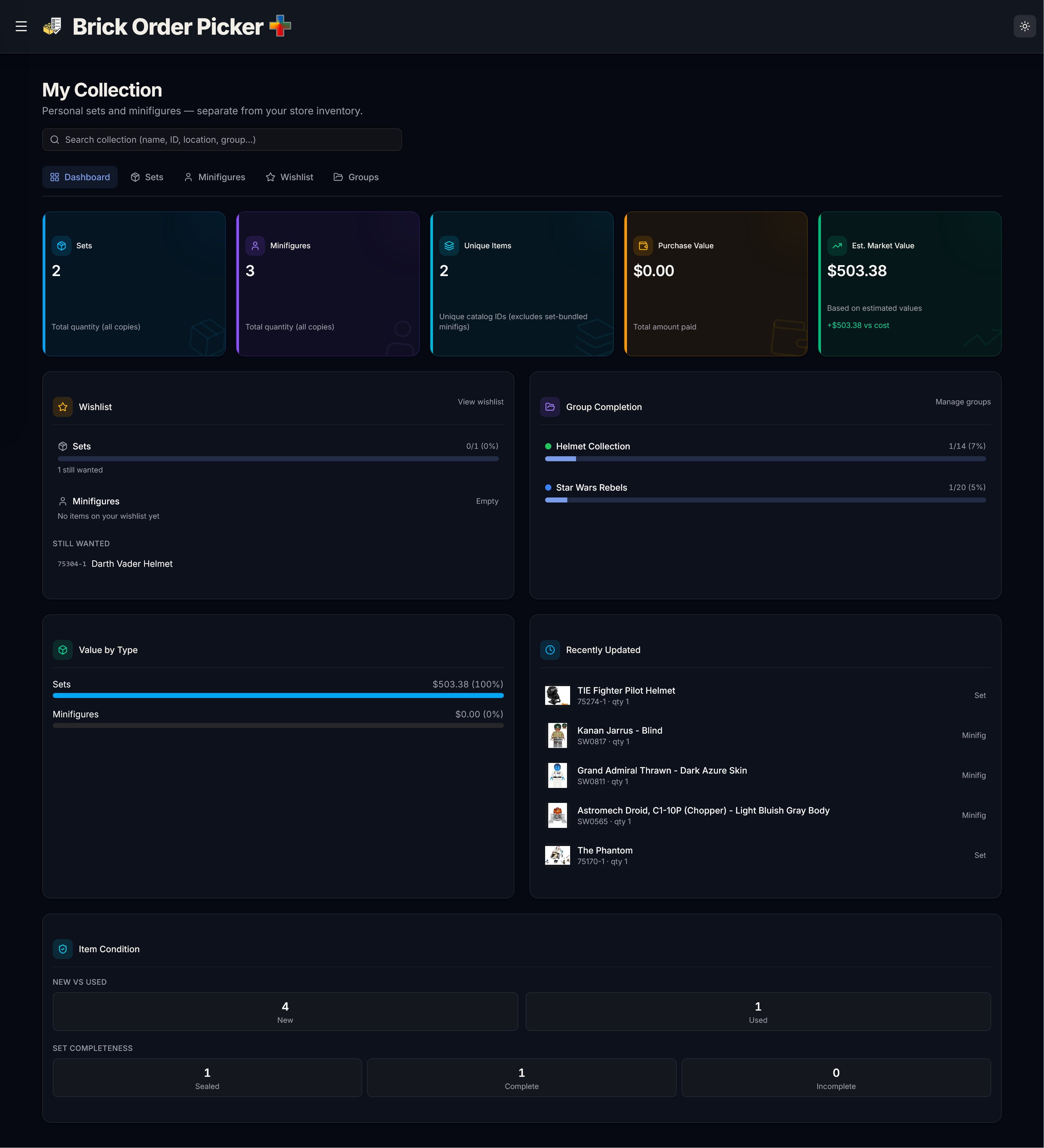
- Personal collection — track gear you own, add it to wishlists and custom groups
Mobile picking on orders
Open an order on your phone and you now get a proper mobile layout — part images, picked counts, buyer info, all laid out for thumb-sized tapping. Desktop is unchanged: full table, status dropdown, the works.
Part-out set: turn on Direct Edit before exporting XML
The Part-Out Set tool can copy BrickLink XML to your clipboard so you can upload new lots on BrickLink. Before you do that, turn on BrickLink Direct Edit on the Inventory page.
That mode tells the app to pause inventory sync while you're editing on BrickLink directly. Without it, the app might still try to sync in the background and your upload can get messy.
The export button now reminds you if Direct Edit is off, with a link straight to Inventory.
Inventory filters stopped nuking the table
Changing a filter on the inventory page used to flash the whole table back to a loading skeleton, even when you were just narrowing down what was already on screen. Felt broken. Wasn't, technically, but it felt broken.
Filters now keep the previous results visible while the new query runs in the background. You'll still see a fetching indicator, but the table doesn't disappear underneath you. Much nicer when you're clicking through color or type filters trying to find that one lot.
BrickOwl ID lookup: minibuilds count too
Some BrickLink part numbers map to BrickOwl as Minibuild items, not Parts. Our lookup only tried the Part type, so a handful of IDs would come back empty even though BrickOwl had them.
We now fall back to a Minibuild lookup when Part returns nothing. Should clear up those "why won't this Fetch?" moments on oddball items.
More reliable sign-in
Every so often the login service has a bad hour and pages start failing with vague errors. The app now retries a few times before giving up, and shows a clear "authentication service temporarily unavailable" message when sign-in really is down. Less mystery, fewer false alarms.
Smaller bits worth mentioning
- Facebook community link — there's now a link in the header and a callout on Getting Started pointing to the Facebook page, if you want to follow along or ask questions there.
- About page refresh — added screenshots for personal collection and mobile picking so the marketing page matches what the app actually looks like now.
- Catalog route fix — a routing bug that could send you to the wrong catalog view. Gone.
What's next
I'm keeping an eye on mobile picking feedback now that it's out — if something feels off on your phone, tell me.
As always, the best way to reach me is through the app or the Facebook page. Thanks for using Brick Order Picker.