Late August: Inventory Sync Is Complete, Inventory Feels Faster, and Pick Lists Got Cleaner
Inventory sync is complete. A few last irritations got cleaned up along the way.
One inventory for both stores
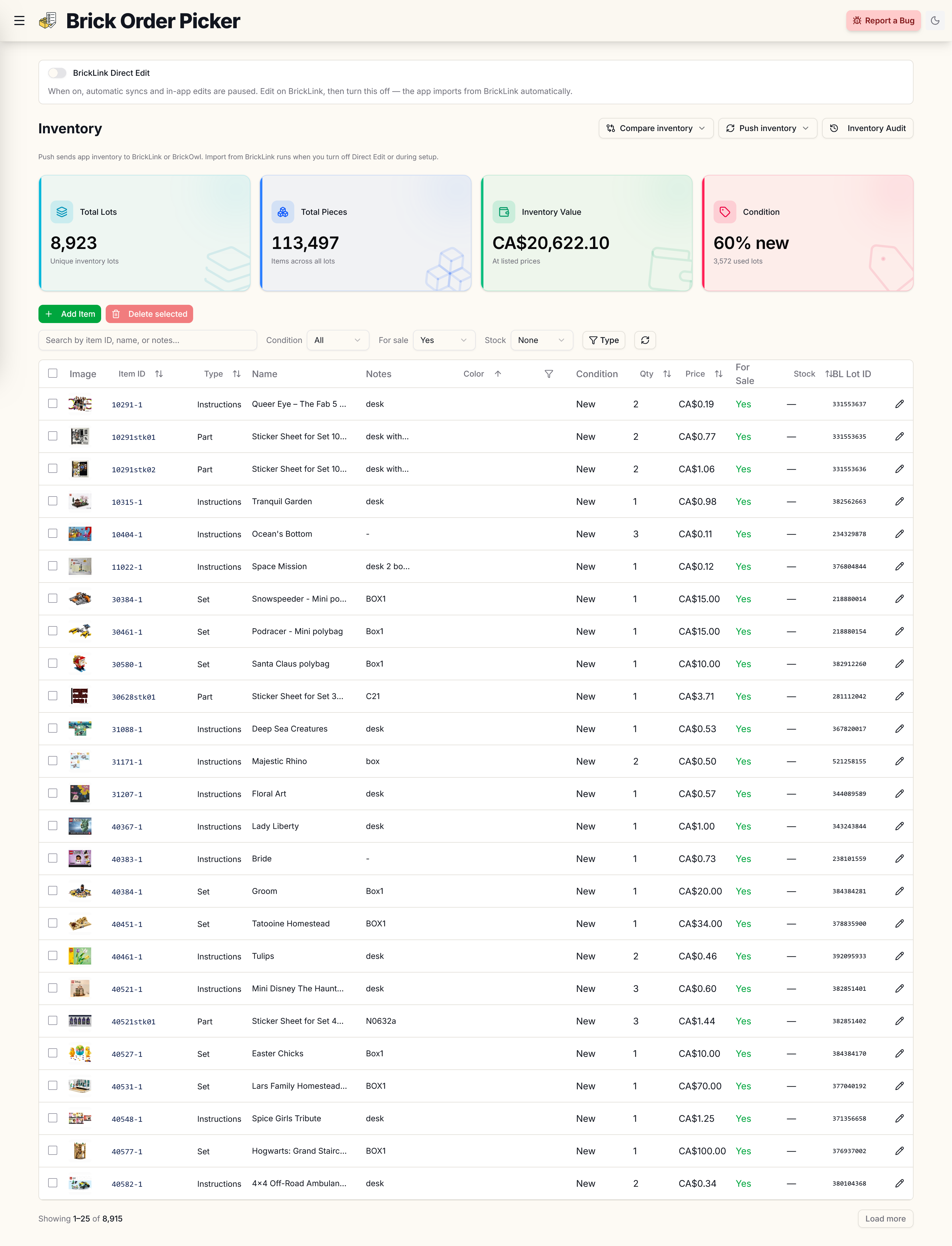
Keep BrickLink and BrickOwl inventory in one place. Edits you make are synced to both stores, and orders update inventory automatically. If you've been holding off, it's ready.
Stickers show up on BrickOwl
If you sell sticker sheets, they often never made it to BrickOwl even though they were in your inventory. That's fixed.
Run a sync from the Inventory page. Lots that used to sit there quietly should appear on BrickOwl.
Inventory feels faster
Opening inventory should feel quicker, especially if you have a lot of lots. Changing sort or filters, then scrolling through the table, should keep up instead of making you wait on each page.
BrickOwl pick lists are easier to read
BrickOwl item names used to repeat themselves: LEGO White Brick 2 x 4, with the color sitting right next to it. You'll just see Brick 2 x 4 now — on desktop and on your phone.
A fresh look
Buttons, links, and the header picked up a teal accent, and the landing and sign-in pages got a cleanup to match. Same app — it just looks a bit more put together.
The Direct Edit dialog waits for you
When you turn off BrickLink Direct Edit, the sync dialog used to vanish (or hang) before you could tell if it finished. It now stays until everything is done, then you close it.
Smaller bits
- Click a BrickLink or BrickOwl lot ID in inventory to copy it.
- Instruction pages in the catalog now show which set they belong to.
If a lot still won't push to BrickOwl, tell me. Best way is through the app or the Facebook page. Thanks for using Brick Order Picker.