Introducing Brick Order Picker — Order Management Built for LEGO Sellers
If you sell LEGO on BrickLink and BrickOwl, you already know the routine — juggling two dashboards, switching between tabs, manually tracking what shipped where. It works, but it's slow and mistakes happen.
Brick Order Picker brings both marketplaces into one place so you can spend less time on admin and more time growing your store.
What It Does
At its core, Brick Order Picker syncs your orders from BrickLink and BrickOwl into a single, unified view. You can filter by status, filter by source, and manage everything without bouncing between sites.
When you update an order status — say, marking it as packed or shipped — the change syncs back to the marketplace automatically.
The Picking Workflow
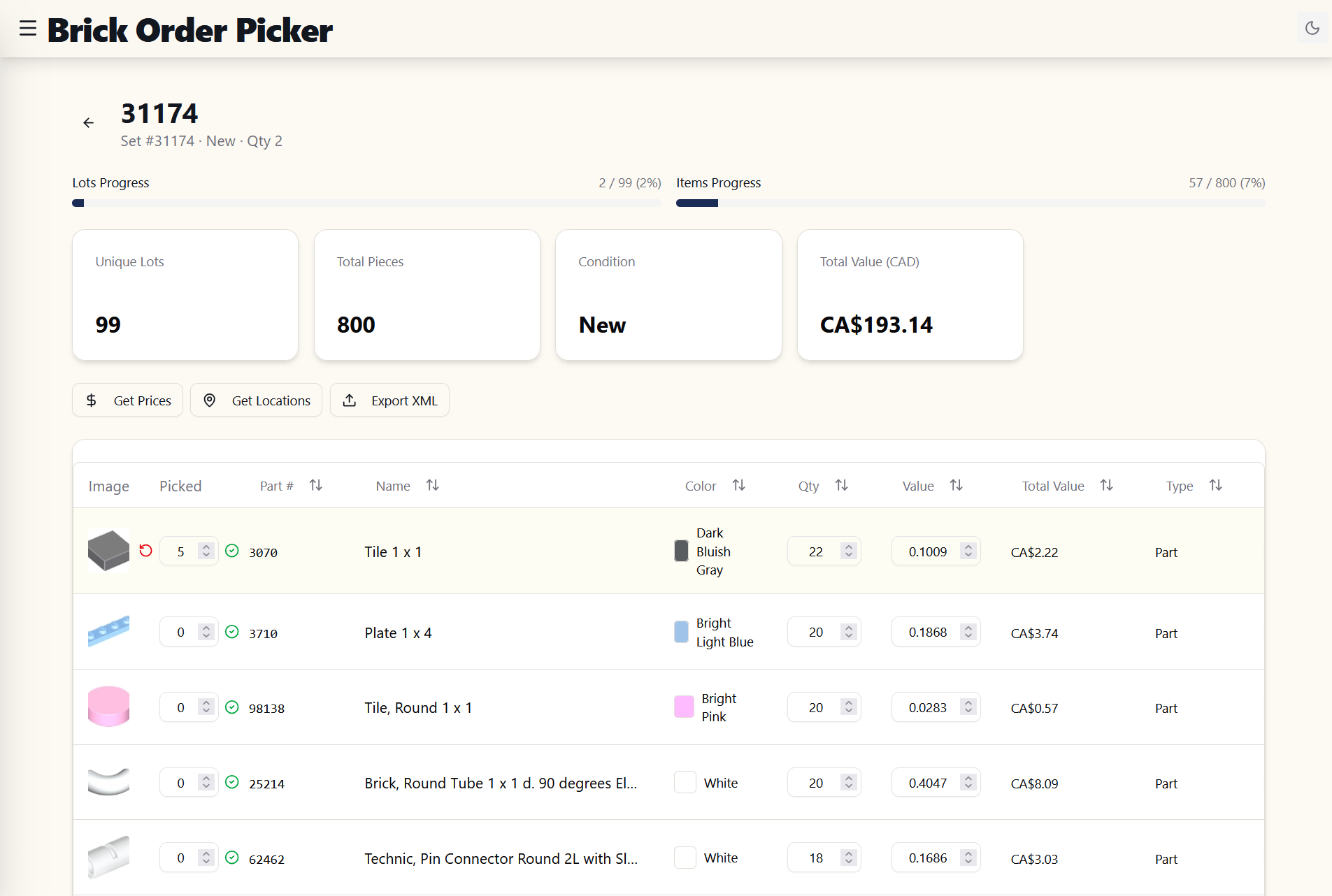
The order detail view shows every item in the order with part images, colours, and quantities at a glance. No more squinting at spreadsheets or cross-referencing part numbers. Open the order, pick the parts, update the status, and move on.
Dashboard & Analytics
The dashboard gives you a real-time snapshot of your business:
- Total orders and revenue across both platforms
- Average order value and items shipped
- Orders by source — see how BrickLink and BrickOwl compare
- Top selling items — know which parts move fastest
- Revenue trends over time
This isn't data for data's sake. It's the kind of information that helps you decide what to stock more of, where to focus your buying, and whether your business is actually growing.
Expense Tracking
Revenue is only half the picture. Brick Order Picker includes a full expense tracker with categories built for LEGO sellers — inventory purchases, shipping costs, packaging, platform fees, tools, software, and more.
View month-over-month trends and get a real picture of your profitability. No more guessing whether that bulk lot was actually worth it.
Part-Out Tools
Two calculators to help you make smarter buying decisions:
Part-Out Value — Enter a set number and instantly see what the individual parts are worth on BrickLink. Compare that against what you'd pay for the set, factor in tax, and see if the margin is there before you buy.
Part-Out Set Manager — Track your progress as you break down sets. Import the full contents of a set, mark parts as sorted, and keep tabs on where you're at across multiple projects.
Connecting Your Stores
Setup takes a few minutes. Add your BrickLink OAuth credentials and your BrickOwl API key, hit the test button to verify the connection, and you're syncing orders. All credentials are encrypted and stored securely.
Pricing
Brick Order Picker is free to start — you get access to your last 14 days of orders with no credit card required. If you want the full picture — dashboard analytics, expense tracking, and 2 years of order history — there's a subscription plan available at a price that makes sense for small sellers.
Try It Out
If you're managing orders across BrickLink and BrickOwl and want a faster, cleaner workflow, give Brick Order Picker a try. Sign up, connect your stores, and see your orders in one place within minutes.